
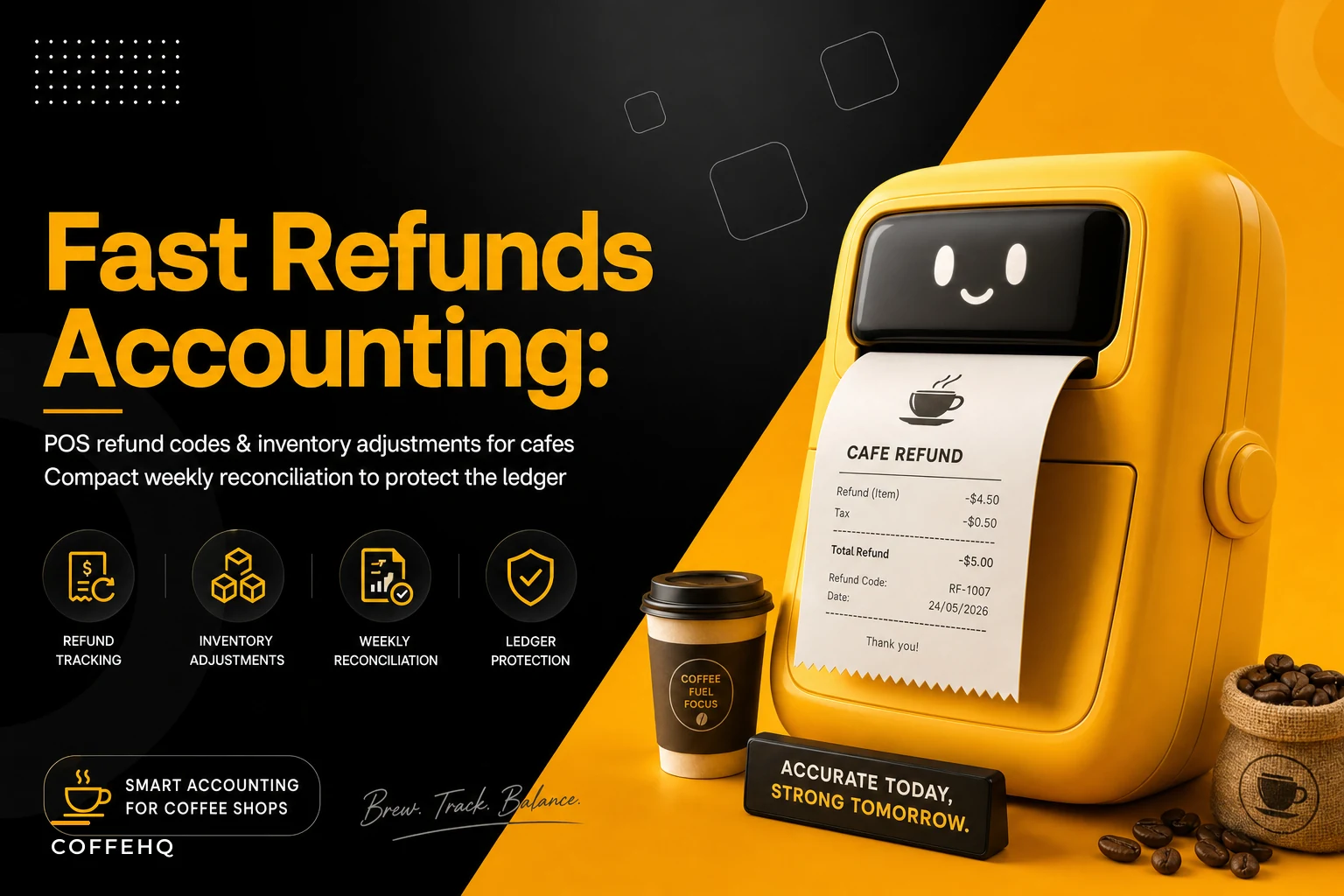

Most cafe owners think about refunds as a customer-service moment. Someone's oat milk latte tasted off, you hand them a fresh one or comp the transaction, and everyone moves on. But behind that thirty-second interaction, three separate systems just got out of sync: your POS logged a money movement, your inventory still thinks the wasted milk and espresso are sitting in stock, and your ledger might record the whole thing as a plain sales reversal with no reason attached.
Do that forty times a week across drinks, pastries, and cold-case items and you get a perishable refund accounting cafe problem that's nearly invisible — until your monthly COGS looks wrong and nobody can explain why.
This is a narrow topic on purpose. We're not covering markdowns, waste logs, or par levels here — those live in their own playbooks. This is only about what happens when a refund or comp involves a perishable item: how to code it, how to adjust inventory the same day, and what short ledger rules keep the weekly reconciliation from turning into a guessing game.
The core problem: a refund moves money but not product
When a barista refunds a drink, the POS reverses the sale. Clean. But the milk, the shot, the cup — those ingredients were already consumed or dumped. The product is gone. Yet in most default POS setups, a refund quietly puts the sold item back into available inventory, because the system assumes a refund means "the customer returned the goods."
For retail that's fine. Someone returns a shirt, the shirt goes back on the rack. For a cafe, the "shirt" is a poured latte that's now in the trash. Your POS just told your inventory you have a serving of milk you don't actually have.
A typical example: a cafe running 900–1,100 transactions a week processes maybe 25–45 refunds or comps. If even half of those touch perishables and each silently re-adds product, you're carrying phantom inventory on a dozen or more milk servings, a handful of pastries, and some cold-brew pours every single week. By month-end your system thinks you have stock you threw away, your reorder timing gets subtly wrong, and your calculated COGS runs low — which makes margins look better than they are until reality catches up on the next physical count.
That gap between "money returned" and "product actually lost" is the whole problem.
Why default POS refunds mislead you
A few reasons this keeps happening even in well-run shops:
Keep every order and shift perfectly aligned.
Coffehq helps you manage orders, inventory, and staff schedules seamlessly.
- Unified order processing
- Real-time inventory updates
- Staff shift coordination
No credit card required
-
Refund and comp are treated the same. A refund (customer paid, you gave money back) and a comp (you gave it away free) hit revenue differently, but baristas hit whatever button is fastest during a rush.
-
No reason code is required. If the POS lets staff refund without selecting why, you lose the one piece of data that tells you whether the product was wasted, remade, or never made at all.
-
Inventory logic assumes returns are physical. Almost no default cafe POS distinguishes "returned unopened bag of beans" from "dumped a wrong drink."
-
The person refunding isn't the person reconciling. The barista knows exactly what happened. The manager doing Sunday's books three days later is staring at a line that just says "Refund -$5.75."
The context evaporates within minutes, and weekly reconciliation becomes archaeology.
The fix starts with a small, disciplined set of refund codes
You don't need twenty codes. You need enough to answer two questions later: Did we lose product? and Was this money out of pocket or just a comp?
Here's a working set that covers most cafe reality without overwhelming staff:
| Refund Code | What it means | Product lost? | Money out? |
|---|---|---|---|
| R1 – Remake (quality) | Drink wrong/off, remade for customer | Yes | No (item replaced) |
| R2 – Refund (quality) | Customer wanted money back, drink dumped | Yes | Yes |
| R3 – Comp (goodwill) | Given free — long wait, apology, etc. | Yes | No cash, but revenue given up |
| R4 – Order error (never made) | Rung up wrong, drink never poured | No | Yes |
| R5 – Perishable return (unopened) | Sealed retail item returned (bag of beans, bottled drink) | No — back to stock | Yes |
| R6 – Spoilage/expired at sale | Sold a pastry past its window, refunded | Yes | Yes |
The critical point the table makes: only R4 and R5 should ever put product back into inventory. Everything else means the product is gone and inventory must be decremented, not restored.
Keep the code set short and mandatory so staff can choose quickly under pressure.
That single rule — most refund codes should not re-add stock — fixes the majority of phantom inventory before it starts.
The same-day inventory adjustment rule
Coding the refund correctly is half the job. The other half is making sure inventory reflects the actual loss the same day, not at some vague future count.
Two workable approaches depending on how your POS handles recipes:
If your POS decrements ingredients automatically on sale: When a refund fires under R1/R2/R3/R6, the refund reverses the sale, which reverses the ingredient depletion — handing the milk and shot back to inventory. So you need a matching waste entry that pulls those same ingredients back out. Net effect: the sale is refunded (money handled correctly) but the product stays counted as consumed.
If your POS tracks finished items or does periodic counts: Log the refunded perishable as a separate waste/loss line the moment it happens. Don't wait. The barista who dumped the drink is the only person who knows for sure it was dumped.
The workflow in plain terms:
-
Barista processes the refund and selects the reason code.
-
If the code is R1, R2, R3, or R6 → a linked waste adjustment is triggered for the ingredients or item.
-
If the code is R4 or R5 → no inventory change beyond the standard return-to-stock.
-
The adjustment carries the same timestamp and ticket reference as the refund.
-
End of day, refunds and their paired waste entries are reviewed together — not separately.
The point of step 4 is traceability. When Sunday reconciliation hits a $6.50 refund, you want to click through and see "R2, oat latte dumped, 11:42am, paired waste entry logged." No detective work required.
Visual workflow for staff:
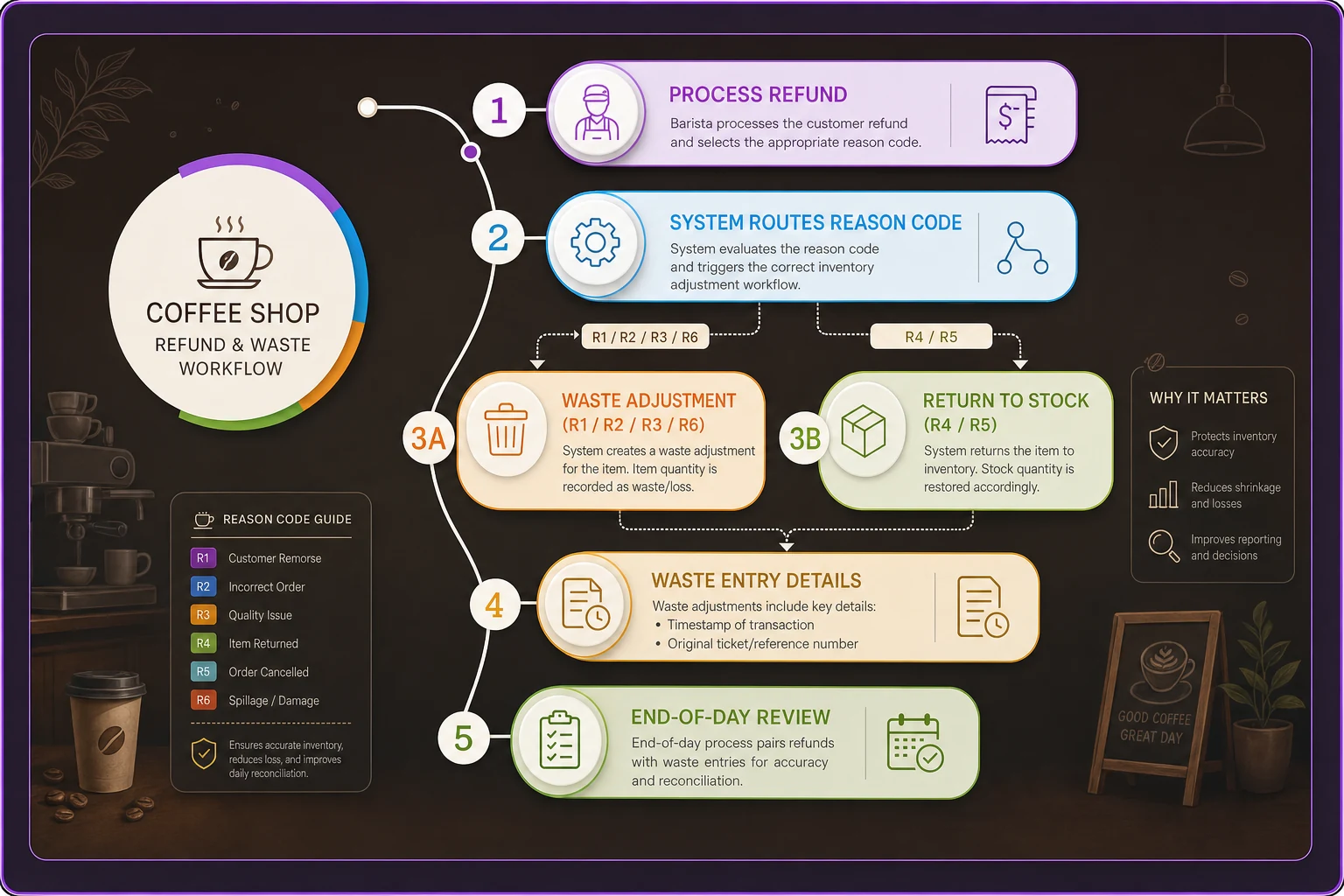
End-of-day pairing makes reviews quick and avoids detective work on Sunday.
Short ledger rules that keep the books honest
Your accounting side needs a few firm rules so refunds land in the right buckets. Keep these short enough that a manager can memorize them.
-
R2 and R6 (money-back refunds) reduce gross sales. They're contra-revenue, not an expense. Don't bury them in a generic "miscellaneous" account.
-
R3 comps do not reduce cash sales — they're recorded as a comp/promo expense against the menu price. This keeps you honest about how much free product you're giving away, which is easy to underestimate.
-
R1 remakes generate no revenue change but do generate a waste cost. Track the ingredient cost, not a dollar refund.
-
R4 order errors reverse cleanly — money back, no product cost, no waste. These should be your "clean" line.
-
Every perishable-loss refund (R1, R2, R3, R6) posts a matching COGS/waste amount so your cost of goods reflects what actually left the building.
Separating comps from refunds at the ledger level matters because they tell you different things. A spike in R2 refunds points to a quality or equipment problem. A spike in R3 comps points to service speed or staffing. Lump them together and you can't tell which fire to fight.
If you want the full picture of how these lines roll up into margin, the spreadsheet-first financial model for cafes shows where refund and waste categories should sit in the P&L so they actually influence decisions instead of hiding.
The weekly reconciliation sequence
Run this the same day each week, before you cut orders for the following week — because refund-driven waste changes what you actually have on hand.
-
Pull all refunds and comps for the week, grouped by reason code. You're looking at counts per code, not just a dollar total.
-
Confirm every R1/R2/R3/R6 has a paired waste/inventory adjustment. Any refund without a paired entry is a phantom-inventory candidate — flag it.
-
Reconcile R2/R6 dollar totals against your contra-revenue account. They should match. A mismatch usually means a comp got coded as a refund or vice versa.
-
Sum the perishable-loss cost across all loss codes and check it against your waste log. Refund-driven waste and general spoilage should roll into the same total.
-
Spot-check three random refunds end to end — ticket, reason code, inventory adjustment, ledger entry. If those three trace cleanly, the rest probably do too.
-
Adjust reorder quantities for anything with unusually high refund-driven loss. If oat milk lattes are getting remade constantly, that's a signal, not just a cost.
That last step is where reconciliation stops being bookkeeping and starts protecting margin. Refund patterns feed directly into ordering — which is the whole premise behind treating ordering as a predictable, data-driven process rather than a gut-feel guess.
A quick checklist for setting this up
Before you roll this out to staff, make sure:
-
[ ] Refund reason codes are required — no refund can be processed without selecting one
-
[ ] Only "unopened return" and "never made" codes re-add inventory
-
[ ] Perishable-loss codes trigger or prompt a waste adjustment
-
[ ] Comps are logged separately from refunds at the ledger level
-
[ ] Each refund entry stores a ticket reference and timestamp
-
[ ] A named person owns the weekly reconciliation, same day each week
-
[ ] Baristas are trained on R1 vs R3 (remake vs comp) — the two most commonly confused
Run a five-minute role-play during a shift change so staff practice choosing R1 vs R3 under pressure.
Keep the training to five minutes. The codes only work if they're used consistently under pressure, so fewer, clearer codes beat a comprehensive taxonomy nobody follows during a Saturday rush.
A real scenario
A two-register neighborhood cafe doing around 1,000 transactions a week kept noticing their monthly physical milk count coming up short against what the system predicted — usually by 15 to 25 servings. Nothing dramatic, but consistent, and it made their milk COGS look better on paper than it actually was.
When they dug in, the cause was mundane: refunds and remakes were being processed with a single generic refund button, and the POS was quietly re-adding drink ingredients to stock every time. Roughly 30 perishable refunds a week, each handing back product that was already in the trash. Over a month that's more than a hundred phantom servings of milk plus scattered shots and pastries.
They introduced six reason codes, made the reason mandatory, and paired the loss codes with a waste entry. Within about two months the gap between predicted and counted inventory tightened to a handful of servings — the kind of variance you'd expect from normal pour inconsistency. Milk COGS moved up slightly on paper, which felt like bad news but was really just the truth showing up. More useful: the R1 remake data flagged that one espresso grinder was drifting out of calibration during afternoons, which was quietly driving a chunk of the remakes.
The money saved wasn't enormous — call it a few hundred dollars a month in tightened ordering and fewer surprise shortfalls. But reconciliation went from an hour of confused guessing to about fifteen minutes of confirming things already matched.
When this level of rigor is worth it — and when it isn't
Worth it if: you're perishable-heavy, running more than a handful of refunds a day, and your monthly counts regularly disagree with your system. The more milk, pastries, and cold-case items in your mix, the faster phantom inventory compounds.
Probably overkill if: you're a tiny operation doing a few refunds a week and counting inventory by eye anyway. A simple "log dumped drinks in a notebook" habit may be enough until volume grows.
Skip the full ledger separation if you don't yet track COGS at the ingredient level — start by just requiring reason codes and preventing auto-restock. That single change fixes most of the damage. You can layer in the accounting rules once the basics are habit.
The mistake to avoid at either end is treating refunds as pure customer service and ignoring the accounting shadow they cast. A refunded drink is two events, not one: money moved, and product was lost. Handle both, the same day, with a reason attached, and your weekly reconciliation stops lying to you about what's on your shelves.
The mistake to avoid at either end is treating refunds as pure customer service and ignoring the accounting shadow they cast. A refunded drink is two events, not one: money moved, and product was lost. Handle both, the same day, with a reason attached, and your weekly reconciliation stops lying to you about what's on your shelves.
Ready to brew operational excellence?
Join hundreds of coffee shops using Coffehq to boost efficiency, reduce waste, and elevate customer satisfaction.