

Most single-site cafe owners treat invoice checking as a 90-second job at the back door. The driver drops three boxes, you glance at the total, scribble a signature, and get back to the line because there are six drinks in the queue. That's exactly where money leaks out — not in big obvious errors, but in the two-dollar-here, four-dollar-there discrepancies that nobody has time to argue about.
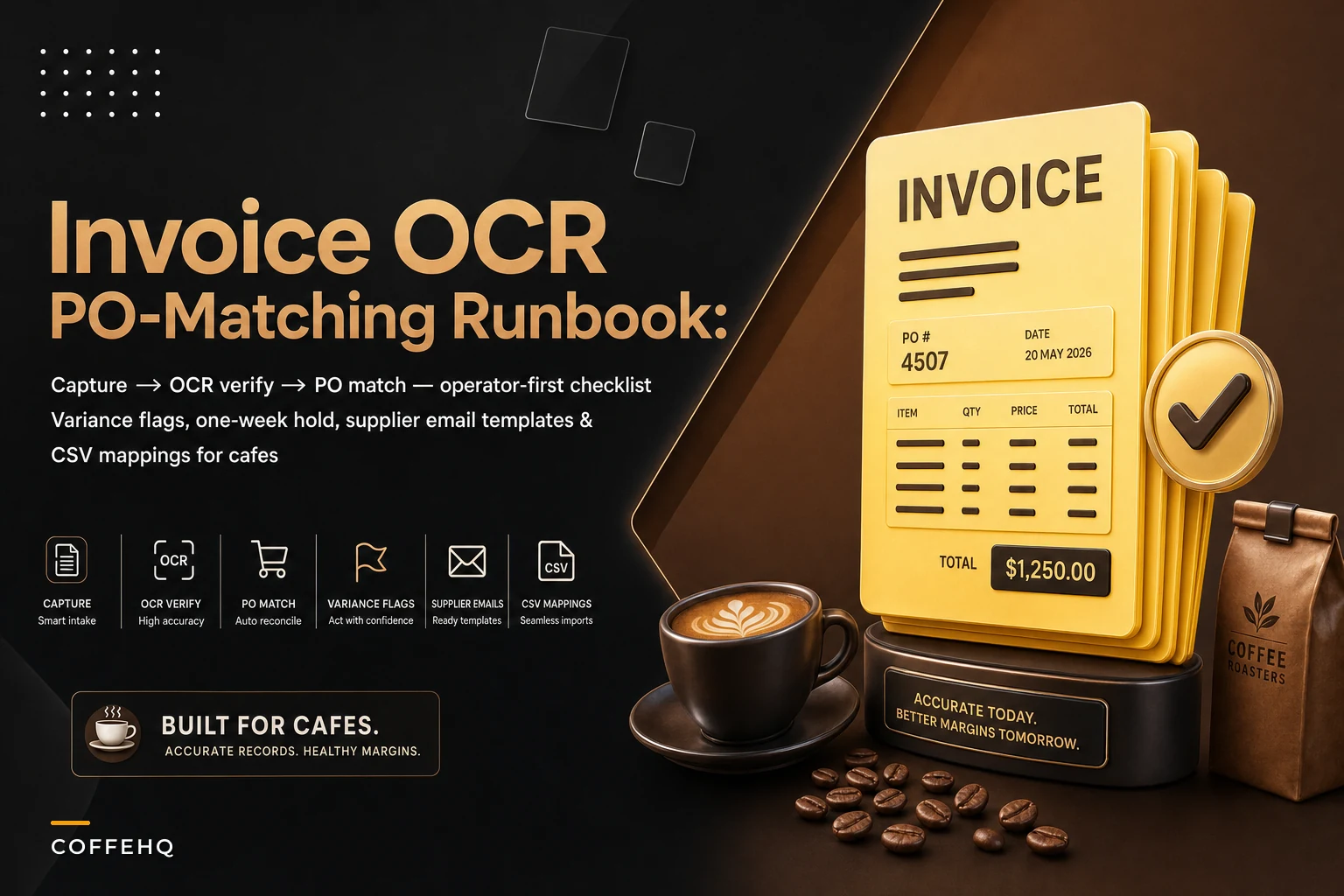
This is a runbook, not a theory piece. By the end you'll have a repeatable sequence — capture → OCR verify → PO match → variance flag → one-week hold — plus template emails for supplier corrections and sample CSV mappings you can copy into whatever system you're using. The whole thing is built around invoice OCR cafe reconciliation that one person can run between rushes, not a finance department you don't have.
The specific problem: your delivered price almost never matches your quoted price
You agree on a price with your dairy rep. Oat milk at $38.40 a case. For three weeks it bills at $38.40. Then week four it comes through at $41.10 "due to a supplier adjustment," nobody tells you, and because you're reconciling by eyeballing the invoice total, you never catch it. That $2.70 difference across roughly 4 cases a week is about $11 a week. Doesn't sound like anything. Stack it across coffee beans, cups, syrups, and pastries where the same drift happens, and you're looking at somewhere in the range of $150–$400 a month of invisible overbilling in a busy single-site cafe.
The reason it happens is structural, not malicious. Supplier billing systems update prices on their own schedule. Your purchase order reflects what you agreed to. The delivered invoice reflects what their system decided to charge. Those two documents live in different places, and in most cafes nobody ever lays them side by side. The quoted price exists in an email or a rep's handshake, and the invoice exists on paper in a drawer.
That gap is the entire problem. Everything below is designed to close it.
The five-step runbook
Think of this as a conveyor belt. An invoice enters at capture and either exits as "paid, clean" or gets kicked into the hold lane. Nothing skips a step.
Keep every order and shift perfectly aligned.
Coffehq helps you manage orders, inventory, and staff schedules seamlessly.
- Unified order processing
- Real-time inventory updates
- Staff shift coordination
No credit card required
[Delivery Arrives] ↓ [Step 1: Capture] Photo/scan every invoice page before it touches a drawer ↓ [Step 2: OCR Verify] Extract line items → check extracted total vs. printed total ↓ [Step 3: PO Match] Compare item / quantity / unit price against agreed price list ↓ [Step 4: Variance Flag] Tag any mismatch over $3 per line or $10 per invoice ↓ [Step 5: One-Week Hold] Pay undisputed amount / hold disputed portion / email supplier ↓ [Paid Clean] or [Credit Memo Received → Close]
Step 1 — Capture
The moment the delivery lands, photograph or scan every page of the invoice before it touches a drawer. Phone camera is fine. The rule is simple: no invoice gets filed physically until it's been captured digitally. Paper invoices in a drawer are invoices that never get reconciled.
The common mistake here is capturing the invoice but not the delivery. If a case is short, you need a photo of what actually arrived too. A quick shot of the stacked boxes next to the invoice solves most future "but we delivered it" arguments.
Step 2 — OCR verify
Run the captured image through OCR so the line items become text you can actually compare. This is where modern invoice OCR cafe reconciliation earns its keep — instead of retyping 14 line items, the system pulls item description, quantity, unit price, and line total into fields.
Check the extracted total vs. the printed invoice total first — it's the fastest sanity check.
But OCR is not magic, and the operators who get burned are the ones who trust it blindly. OCR mangles things. A handwritten "6" becomes "0." "$38.40" becomes "$3840." So the verify step is a human two-second glance: does the extracted total match the printed total on the invoice? If those two numbers agree, the line-item extraction is almost always trustworthy. If they don't, you fix the misread field before moving on.
That single check — extracted total vs. printed total — catches the vast majority of OCR errors in about three seconds per invoice.
Step 3 — PO match
Now you compare the verified invoice against your purchase order or agreed price list. Three things get matched per line:
-
Item — did they bill you for what you ordered?
-
Quantity — does billed quantity match delivered quantity?
-
Unit price — does the billed unit price match your agreed price?
If you've already built a purchase-to-stock discipline, this step gets much easier because your expected prices live in one place. If you haven't, our purchase-to-stock playbook for predictable COGS walks through setting up the ordering structure that makes this matching possible in the first place.
Worth noting: price mismatches are far more common than quantity mismatches. Everyone instinctively counts boxes. Almost nobody checks the unit price against what was quoted. Reverse that instinct.
Step 4 — Variance flag
Any line that fails the match gets flagged with a variance type and a dollar amount. Keep the categories boring and few:
| Variance type | What it means | Typical cause |
|---|---|---|
| Price-up | Billed unit price > agreed price | Supplier price update not communicated |
| Short-ship | Billed qty > delivered qty | Picking error at warehouse |
| Wrong-item | Billed item ≠ ordered item | Substitution without notice |
| Phantom-line | Billed for item never ordered | Duplicate or data entry error |
| Tax/fee | Unexpected surcharge or fee | Fuel surcharge, new delivery fee |
Set a threshold so you're not emailing a supplier over 8 cents. A reasonable flag line for a single-site cafe is anything over $3 on a single line, or anything over $10 total per invoice. Below that, note it and move on — the time cost of chasing it exceeds the recovery.
Step 5 — One-week hold policy
This is the step that actually changes supplier behavior, and almost nobody does it.
Any invoice with an unresolved variance goes on a one-week payment hold. You pay the undisputed portion on your normal terms and hold the disputed amount until the supplier corrects it with a credit memo or a corrected invoice. The hold is communicated in writing, with the variance clearly stated.
Why a week? Long enough to give the supplier a fair window to respond, short enough that it doesn't wreck your relationship or your payment terms. The discipline matters more than the duration. Once a rep learns that your cafe actually holds disputed amounts and asks for written credit memos, your invoices start matching your quotes more consistently. Suppliers triage their own error-correction effort toward the accounts that check.
This diagram shows the flow from capture to resolution.
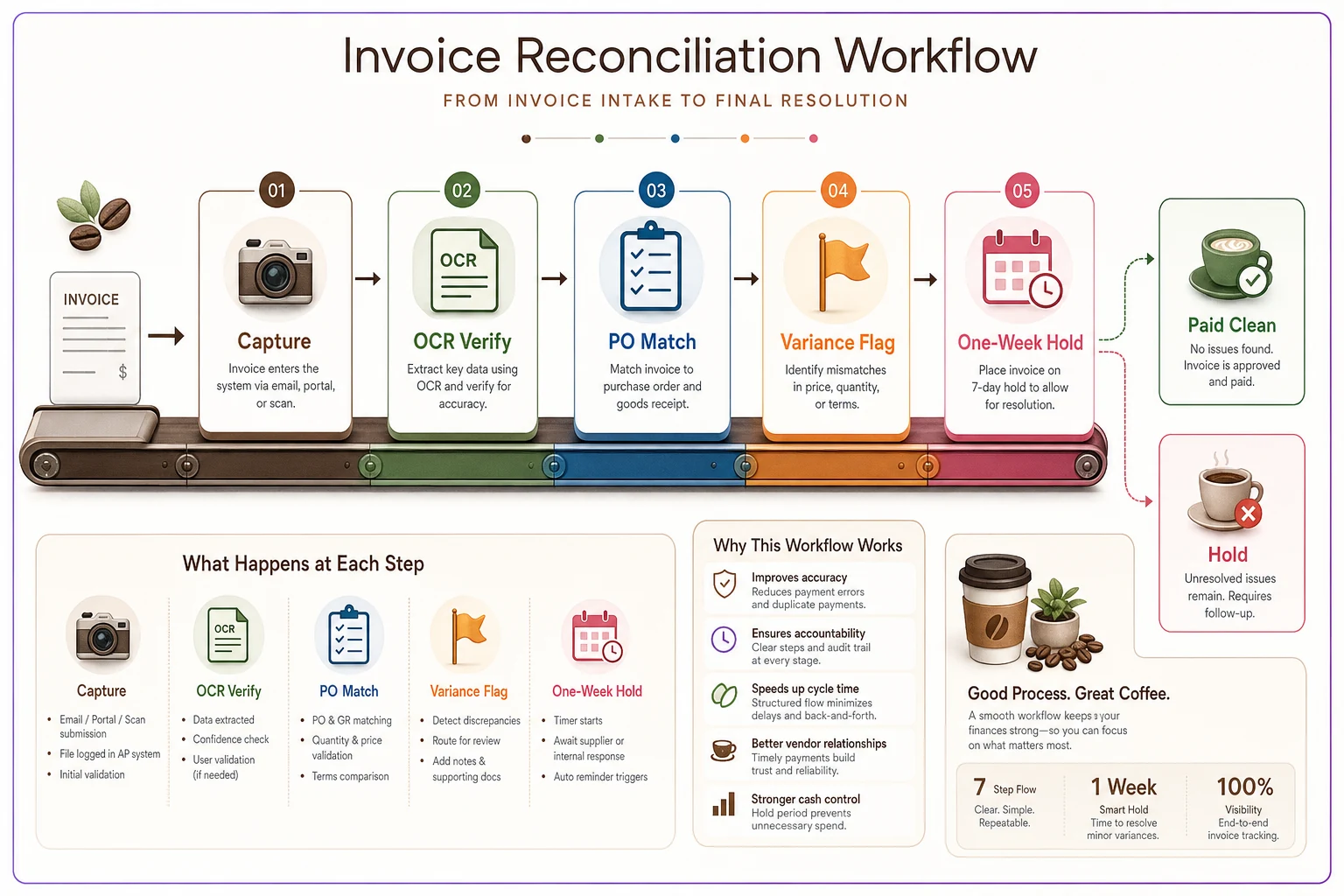
The conveyor-belt discipline is what prevents small drifts from becoming permanent leaks.
Sample CSV mappings
If you're moving invoice data between your OCR output, your spreadsheet, and your accounting tool, the field names never line up. Here's how to think about the mapping rather than guessing each time.
A typical OCR export gives you columns like this:
vendorname, invoiceno, invoicedate, linedesc, qty, unitprice, linetotal, invoice_total
Your internal reconciliation sheet probably wants:
Supplier, InvoiceID, Date, Item, QtyBilled, PriceBilled, PriceAgreed, LineVariance
A clean mapping looks like this:
| OCR export field | Your sheet field | Notes |
|---|---|---|
| vendor_name | Supplier | Normalize spelling ("ABC Dairy" vs "ABC Dairy Co") |
| invoice_no | InvoiceID | Keep as text — leading zeros matter |
| invoice_date | Date | Force YYYY-MM-DD to avoid US/UK date flips |
| line_desc | Item | Map to your SKU via a lookup table |
| qty | QtyBilled | |
| unit_price | PriceBilled | |
| (from your price list) | PriceAgreed | VLOOKUP on Item |
| (calculated) | LineVariance | = (PriceBilled − PriceAgreed) × QtyBilled |
The one mapping that trips everyone up is item description to SKU. Suppliers describe the same product differently across invoices — "Oat Milk 1L x12" one week, "Oatmilk Barista 1Lt Case" the next. Build a small alias table that maps every variation to your single internal SKU. Without it, your PriceAgreed lookup fails silently and the whole reconciliation falls apart. This is the same mapping discipline that keeps your data-sync and reconciliation across POS, inventory and accounting from drifting out of alignment.
A sample alias table:
alias, internal_sku "Oat Milk 1L x12", OATMILK-12 "Oatmilk Barista 1Lt Case", OATMILK-12 "Oat M. Barista 12x1L", OATMILK-12
Template emails for supplier corrections
Keep these short. Long emails get skimmed; short ones with a dollar amount and an invoice number get actioned.
Price-up variance:
> Subject: Price discrepancy — Invoice [INV#] > > Hi [Rep name], > > Invoice [INV#] dated [date] bills [item] at $[billed] per unit. Our agreed price is $[agreed]. That's a difference of $[line variance] on this invoice. > > Could you send a corrected invoice or credit memo for the difference? We're holding the disputed $[amount] pending correction and will pay the balance on our normal terms. > > Thanks, > [Name], [Cafe]
Short-ship variance:
> Subject: Short delivery — Invoice [INV#] > > Hi [Rep name], > > Invoice [INV#] bills [qty billed] of [item] but we received [qty delivered]. Photo of the delivery attached. > > Please issue a credit for the [difference] units ($[amount]). Holding that portion until the credit memo comes through. > > Thanks, > [Name], [Cafe]
Phantom-line variance:
> Subject: Unordered item on Invoice [INV#] > > Hi [Rep name], > > Invoice [INV#] includes [item] at $[amount], which wasn't on our order [PO#]. Can you confirm and remove it from this invoice? > > Paying the remaining balance; holding $[amount] on this line. > > Thanks, > [Name], [Cafe]
Notice the pattern across all three: invoice number, specific line, exact dollar amount, explicit statement of what you're holding. No apologizing, no softening. These read as routine process, which is exactly how you want to come across — a cafe that checks, calmly, every time.
A real scenario
A single-location cafe doing roughly $42k–$48k a month in sales was running on back-door eyeball checks. No digital capture, invoices signed on delivery, paid in full on terms.
When they switched to the five-step runbook, the first month surfaced about $190 in recoverable variances — mostly slow price creep on dairy and syrups, one double-billed pastry line, and a delivery fee that had quietly appeared on a produce invoice three weeks running. Not dramatic. But the second-order effect was more significant: once two suppliers got the hold-and-correction emails, their invoices started matching the quotes consistently, and the monthly variance total dropped to under $60 by month three.
Somewhere around $130–$180 a month in avoided overbilling, for maybe 15 minutes of work per delivery day. The owner's actual comment was that the biggest win wasn't the money — it was that she stopped wondering whether she was being overcharged. The uncertainty was gone.
When this makes sense — and when it doesn't
This is worth running if:
-
You take deliveries from three or more suppliers weekly
-
Your supplier prices shift based on commodity markets (dairy, coffee, produce)
-
You've ever discovered a wrong price after paying several invoices
-
One person can own the process end to end
This is overkill if:
-
You're a pop-up or a stall with one or two suppliers and fixed pricing
-
Your total weekly supplier spend is under a few hundred dollars — the recovery won't justify the time
Who should NOT do this: anyone planning to rotate it across different staff each shift. The entire value comes from one person having continuity across invoices so they notice drift over time. A price that creeps from $38.40 to $39.10 to $41.10 only looks wrong to someone who saw all three. Rotating the task defeats the point.
Where automation actually helps — and where it doesn't
You can run this entire runbook with a phone camera, a spreadsheet, and your email. Plenty of cafes do, and it works fine.
Where OCR-based tooling earns its place is in removing the retyping and surfacing the flag automatically. Capturing an image and having the line items, the alias-mapped SKU, the agreed price lookup, and the variance calculation all happen in one pass means the operator only ever looks at the exceptions — the three invoices this week that didn't match, instead of reading all fourteen. That's the difference between a process you keep up for a month and one you still run a year later.
The tooling doesn't replace the judgment. OCR still needs the total-vs-total sanity check. The hold decision is still yours. The supplier relationship is still a human one. What automation removes is the tedium that makes operators quietly abandon the process after week two — which is where almost every manual reconciliation effort dies.
The one habit that makes all of this work
If you take one thing from this runbook, make it the total-vs-total check at the OCR verify step. It's the cheapest, fastest guardrail in the whole sequence, and it's the thing that tells you whether to trust everything downstream. Three seconds per invoice. Everything else — the matching, the flagging, the holds, the emails — is just acting on what that check reveals.
Catching supplier overbilling isn't about being adversarial with your reps. It's about making sure the price you agreed to is the price you actually pay, every single week, without having to think hard about it. Build the conveyor belt once, run it between rushes, and the leaks close themselves.
Build the conveyor belt once, run it between rushes, and the leaks close themselves.
Ready to brew operational excellence?
Join hundreds of coffee shops using Coffehq to boost efficiency, reduce waste, and elevate customer satisfaction.