

Your COGS report says milk is costing you 31% of beverage revenue. But you know that's wrong, because you've been watching your orders and your waste, and the number should be closer to 24%. So you dig in. And what you find isn't a pricing problem or a theft problem. It's three different ways your staff typed the word "Latte" into the POS over the last eight months.
That's the thing nobody tells you about POS hygiene. A messy menu doesn't crash anything. It just slowly poisons every report you rely on, until you stop trusting your own numbers and start running the shop on gut feel again.
This post is narrow on purpose. It's about one thing: setting up a tight POS naming convention cafe owners can actually enforce, plus a weekly cleanup routine and a few copy-paste SQL/CSV checks so duplicates and broken modifiers never rot your cost data again.
Where the mess actually comes from
Nobody sits down and decides to create four versions of the same drink. It accumulates. A typical example looks like this:
-
The opening manager builds the menu and calls it
Latte - 12oz -
Six months later a new shift lead adds a seasonal item and names it
Latte 12 -
During a rush, someone can't find the button fast enough and creates
LATTE (small)on the fly -
A third-party delivery integration syncs in its own version
Caffe Latte - Regular
Now you have four items that are the same drink. Each one pulls from a different recipe mapping—or worse, some have no recipe mapped at all. When you run a cost-of-goods report, the system can only deduct inventory for the items that are properly linked. The "orphan" items sell coffee and milk that never get subtracted from your counts.
The result: your milk and bean usage looks lower than reality, your COGS looks better than reality, and your variance reports flag "shrink" that isn't theft at all. It's just data entry.
Modifiers make it worse. If Oat Milk exists as a modifier on one latte item but someone rebuilt a near-duplicate with a modifier called Oatmilk (no space), your dairy-vs-alt-milk split becomes meaningless. And alt-milk cost tracking is where a lot of cafes are bleeding 40–60 cents a cup without noticing.
The naming rules, exactly
Rules only work if they're simple enough to remember mid-shift and strict enough that there's only one correct answer. Here's the structure that holds up across real cafe menus.
Keep every order and shift perfectly aligned.
Coffehq helps you manage orders, inventory, and staff schedules seamlessly.
- Unified order processing
- Real-time inventory updates
- Staff shift coordination
No credit card required
Core item name format: [Category][Base][Size]
Examples:
-
BEVLatte12 -
BEVLatte16 -
FOODCroissantPlain -
RETAILBeansEthiopia_12oz
The rules behind that:
| Rule | Standard | Why it matters |
|---|---|---|
| Length | Keep names under ~32 characters | Long names get truncated differently across POS, delivery apps, and exports—breaking your matching |
| Prefix | Always a category prefix (BEV, FOOD, RETAIL, MOD) | Lets you filter and group instantly in any export |
| Size | Numbers only, no words (12, 16, not small, lg) | "Small" vs "Sm" vs "S" is the #1 source of duplicates |
| Case | One casing rule—lowercase or title, pick one | Latte and LATTE sort as different items in most exports |
| Separators | Underscores only, no spaces or dashes | Spaces and dashes get handled inconsistently by integrations |
| No ad-hoc items | Only managers create new items | 90% of duplicates are created live during a rush |
Modifier naming gets its own prefix and the same discipline:
MODOatMilk MODExtraShot MODDecaf MODSugarFree_Vanilla
The single most important modifier rule: one concept, one modifier, mapped to one inventory item. You should never have both MODOatMilk and MODOat_Milk living in the system. Pick one spelling and delete the rest.
Versioning without creating new duplicates
Seasonal and test items are where naming discipline usually collapses, because people feel like a "new" drink needs a brand-new item. It doesn't. Use a version tag at the end instead:
BEVPumpkinLatte12v1 BEVPumpkinLatte12v2
When you're A/B testing recipes or prices, the version tag keeps each test isolated so your experiment data stays clean. This matters a lot if you run structured pricing tests—the whole point of a menu-engineering and A/B pricing playbook falls apart if v1 and v2 sales get merged under a sloppy duplicate. Archive the losing version; don't delete it, or you'll lose the historical sales tied to it.
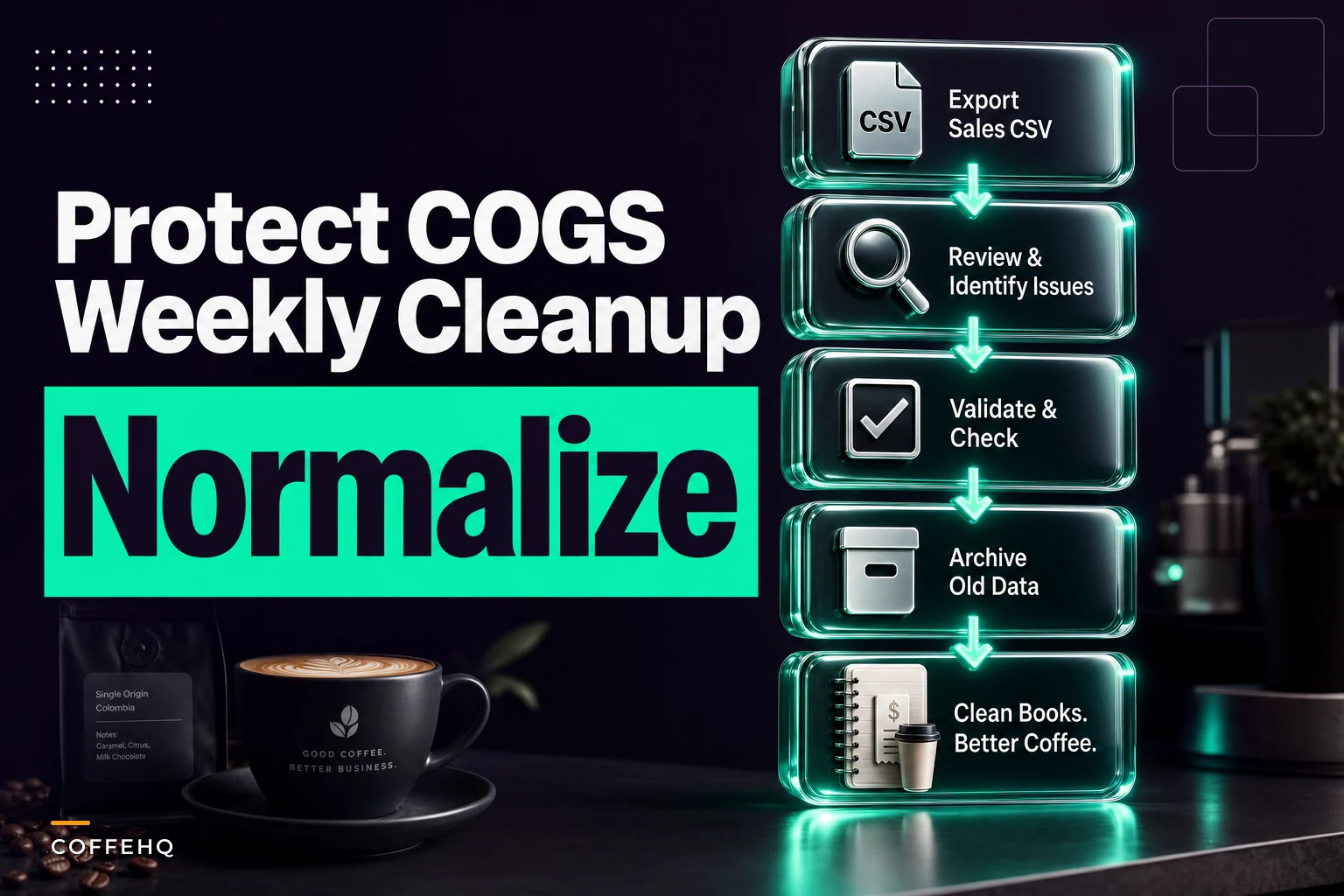
The weekly cleanup routine (about 15 minutes)
This isn't a quarterly project. Duplicates breed fastest the week they're created, so catch them weekly while they're easy to trace back to who made them.
Run this every Monday morning before the week's data piles up:
-
Export the full item list from your POS as a CSV (item name, category, price, SKU, linked recipe).
-
Sort alphabetically and scan for near-neighbors—
Latte12sitting next toLatte12orLattesmis your duplicate. -
Check for unmapped items. Any item with no linked recipe or no cost is an orphan that's breaking COGS. Flag it.
-
Check modifier spelling consistency. Pull the modifier list separately and look for the same concept spelled two ways.
-
Merge or archive. Pick the correct item, reassign the last period's sales if your POS allows it, and archive the wrong one.
-
Log what you fixed in a simple running sheet—date, item removed, item kept. This tells you which shifts keep creating messes so you can retrain.
The logging step feels like overkill until you notice the same person creating the same duplicate three weeks running. Then it's the most useful line in the whole routine.
Visual workflow:
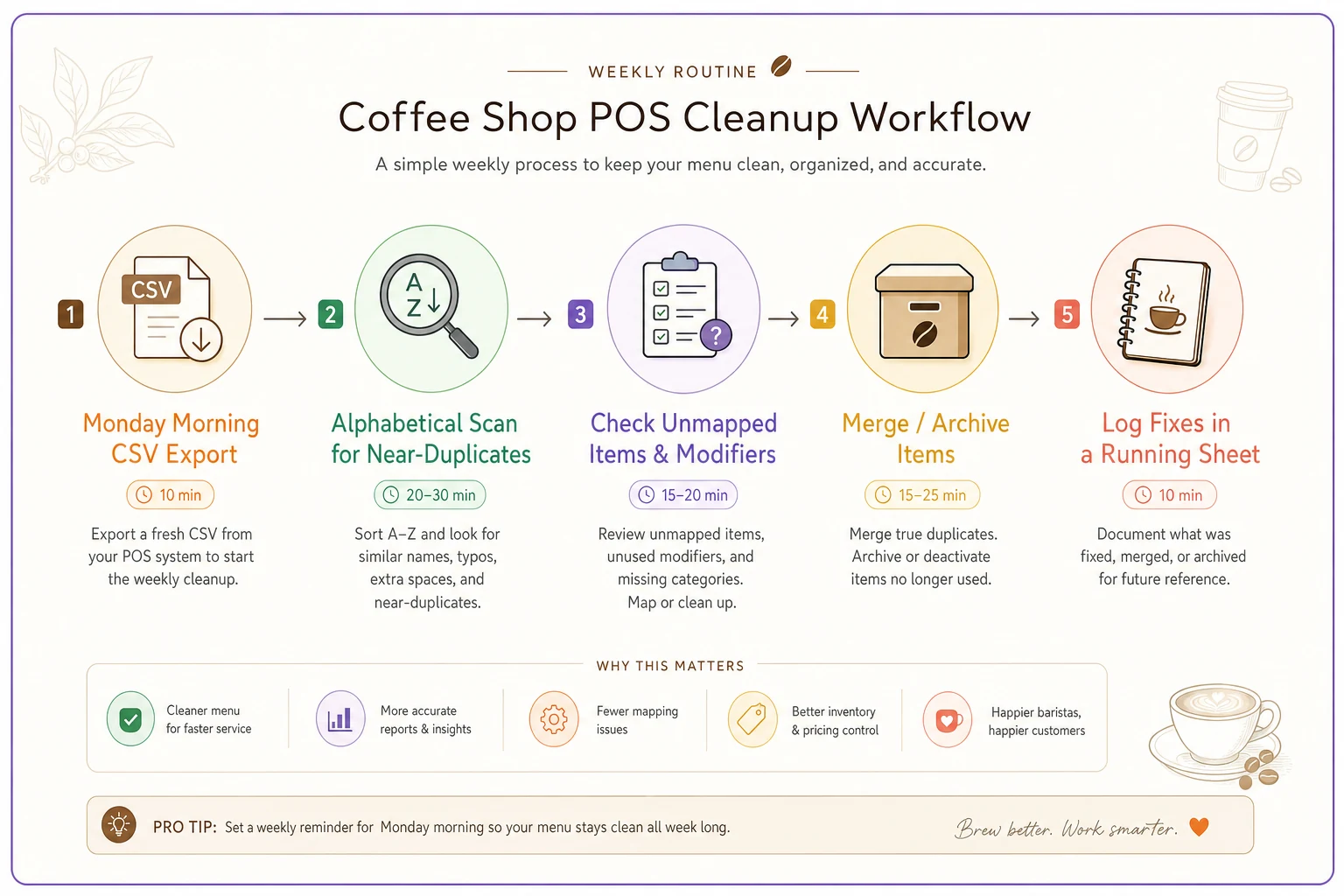
A quick visual of the flow helps teams remember who is responsible for each step.
Run the export immediately after the first morning shift for easiest traceability.
The logging step feels like overkill until you notice the same person creating the same duplicate three weeks running. Then it's the most useful line in the whole routine.
Copy-paste checks managers can actually run
You don't need to be a database person. Most of these run on a CSV export in a spreadsheet, and the SQL versions are there if your POS gives you query access or you load exports into something like a Google Sheet with queries or a lightweight database.
Find likely duplicate items (SQL):
SELECT LOWER(REPLACE(REPLACE(itemname,' ',''),'','')) AS normalized, COUNT() AS versions, GROUPCONCAT(itemname) AS names FROM menu_items GROUP BY normalized HAVING COUNT() > 1;
This strips spaces, underscores, and casing, then groups—so Latte 12, latte_12, and LATTE12 all collapse into one row and show up as a duplicate cluster.
Find orphan items with no recipe/cost mapping (SQL):
SELECT m.itemname FROM menuitems m LEFT JOIN recipemap r ON m.itemid = r.itemid WHERE r.itemid IS NULL;
Every row this returns is an item selling product that never gets deducted from inventory. These are the ones silently flattering your COGS.
Find broken/duplicate modifiers (SQL):
SELECT LOWER(REPLACE(modifiername,' ','')) AS normalized, COUNT() AS versions, GROUPCONCAT(modifier_name) AS variants FROM modifiers GROUP BY normalized HAVING COUNT() > 1;
No SQL? Do it in a spreadsheet. After exporting your CSV:
-
Add a helper column
=LOWER(SUBSTITUTE(SUBSTITUTE(A2," ",""),"_","")) -
Then run a
COUNTIFon that column=COUNTIF(B:B,B2) -
Any row where the count is greater than 1 is a duplicate candidate. Filter to those and review.
-
For orphans, export your recipe mapping as a second sheet and use
XLOOKUP/VLOOKUPto flag items with no match.
Fifteen minutes with those two formulas will usually surface problems that have been quietly skewing your reports for months.
A real scenario
A single-location cafe doing roughly $40k–$45k a month kept seeing beverage COGS sitting around 29–31%, which felt high for their menu mix. The owner assumed it was waste or over-pouring and spent a couple of weeks tightening milk batching.
The actual problem showed up in a Monday export. They had three live versions of their two best-selling lattes, and two of them weren't mapped to recipes at all. Those orphan items were moving somewhere around 15% of their latte volume without deducting a single ounce of milk or gram of coffee from inventory. On top of that, their alt-milk modifier existed in two spellings, so the upcharge margin was split across two buckets nobody was reading.
After a cleanup—merging the duplicates, mapping the orphans, standardizing the modifier—their reported beverage COGS settled into the 25–26% range within a couple of billing cycles. Nothing about their actual pouring changed. The number had been wrong, not the operation. And once the number was trustworthy, they could finally tell which menu changes were actually helping.
That's the hidden cost here: it's not just the mis-stated percentage. It's every decision you didn't make because you couldn't trust the data.
When this matters most (and when it doesn't)
This is worth doing if:
-
You run recipe-level inventory deduction and care about accurate COGS
-
You have more than one person building menu items
-
You use delivery/third-party integrations that sync items in
-
You run any pricing or recipe experiments where clean data matters
This matters less if:
-
You have a tiny fixed menu, one person controls the POS, and you don't track inventory at the recipe level. At that scale, a monthly glance is probably enough.
The cafes that need this most are the ones in the messy middle: enough volume and enough staff to generate duplicates, but not enough back-office time to notice them piling up. That's exactly where naming discipline pays for itself.
Keeping it clean without babysitting it
The naming rules and the weekly export are really the core of this. A lot of owners run it fine on just a spreadsheet and a Monday reminder. Where it gets easier is when your systems catch mismatches for you—when duplicate items, unmapped recipes, and modifier-spelling drift get flagged automatically instead of waiting for someone to eyeball a CSV.
That kind of automated reconciliation is really the same problem as keeping your POS, inventory, and accounting numbers agreeing with each other, which is worth reading about separately in this cafe data-sync and reconciliation playbook. The naming convention is the foundation; automated checks just stop the mess from rebuilding faster than you can clean it.
The point isn't to turn you into a data analyst. Clean item names are the cheapest insurance you can buy for your cost reports. Fifteen minutes on a Monday, a rule everyone can follow, and a couple of formulas—and your COGS number finally means what it says.
Ready to brew operational excellence?
Join hundreds of coffee shops using Coffehq to boost efficiency, reduce waste, and elevate customer satisfaction.