

A coffee shop promotion inventory strategy goes wrong fast when you underestimate demand spikes. You launch a 50% off afternoon special on iced lattes, thinking you'll move some extra product during slow hours. Three hours later, you're completely out of oat milk, your baristas are substituting regular milk without tracking it, and tomorrow's morning rush is compromised because you burned through two days of cold brew concentrate.
The math gets ugly quick. That promotion you thought would boost revenue by $400 actually cost you $180 in emergency supply runs, $220 in comp drinks for angry morning customers who couldn't get their usual order, plus whatever goodwill you lost when regulars showed up to empty shelves.
The buffer calculation nobody teaches you
Most promotion planning starts backward—deciding what discount sounds good, then hoping inventory holds up. That's like planning a road trip by picking your playlist first, then checking if you have gas.
-
Primary ingredients (espresso, milk alternatives, flavored syrups)
-
Secondary components (whipped cream, toppings, specialty ice)
-
Packaging materials (cups, lids, sleeves, straws)
-
Cross-contamination items (alternative milk pitchers, shakers)
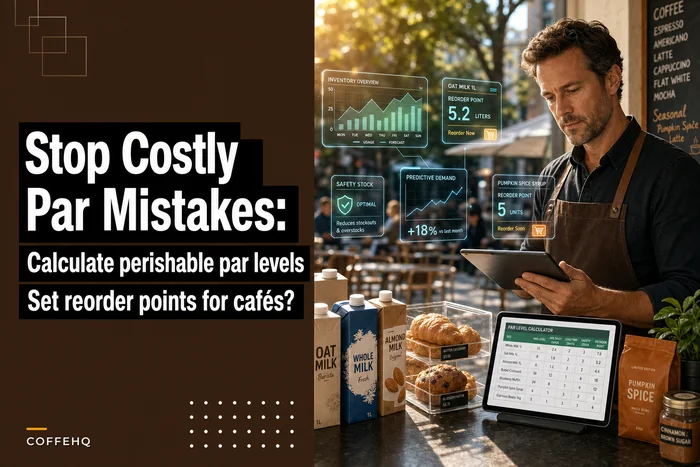
For each SKU, calculate your baseline daily usage from the last 30 days, excluding any previous promotion periods. Then add your safety buffer—typically 40% for perishables, 25% for dry goods. This becomes your protected inventory that promotions can't touch.
| SKU Component | Daily Baseline | Safety Buffer | Protected Amount | Available for Promo |
|---|---|---|---|---|
| Oat Milk (oz) | 320 | 128 (40%) | 448 | Remaining stock - 448 |
| Espresso (lbs) | 12 | 3 (25%) | 15 | Remaining stock - 15 |
| Ice (lbs) | 80 | 20 (25%) | 100 | Remaining stock - 100 |
| 16oz Cups | 140 | 35 (25%) | 175 | Remaining stock - 175 |
The "Available for Promo" column tells you exactly how many discounted drinks you can support without compromising regular operations. Divide that number by your expected redemption rate—usually around 2.5x normal volume for a 50% off deal—and you've got your maximum promotion quantity.
Pre-reservation workflows that actually work
Once you know your limits, you need to enforce them before the promotion starts. Most POS systems let you set item caps, but they rarely account for ingredient-level constraints.
Keep every order and shift perfectly aligned.
Coffehq helps you manage orders, inventory, and staff schedules seamlessly.
- Unified order processing
- Real-time inventory updates
- Staff shift coordination
No credit card required
Create a pre-promotion reservation system that locks inventory allocations 24 hours before launch. That means physically separating promotion inventory from regular stock, or at minimum, marking containers with "PROMO ONLY" or "DO NOT USE BEFORE [DATE]" labels.
The physical separation matters more than you'd think. When your afternoon barista sees you're running low on oat milk mid-rush, they're grabbing whatever's closest. Clear visual barriers—separate fridges, colored tape, even just different shelf positions—prevent accidental crossover that wrecks your buffer calculations.
Pre-label and date promo batches to avoid accidental use during service.
For multi-component items, use a batch prep approach. If you're promoting 100 discounted specialty drinks, pre-batch the base ingredients into measured containers. It speeds up service during the promotion, keeps baristas from over-pouring when they're slammed, and creates a hard stop when the allocated inventory runs out.
Visual workflow of the pre-reservation process.
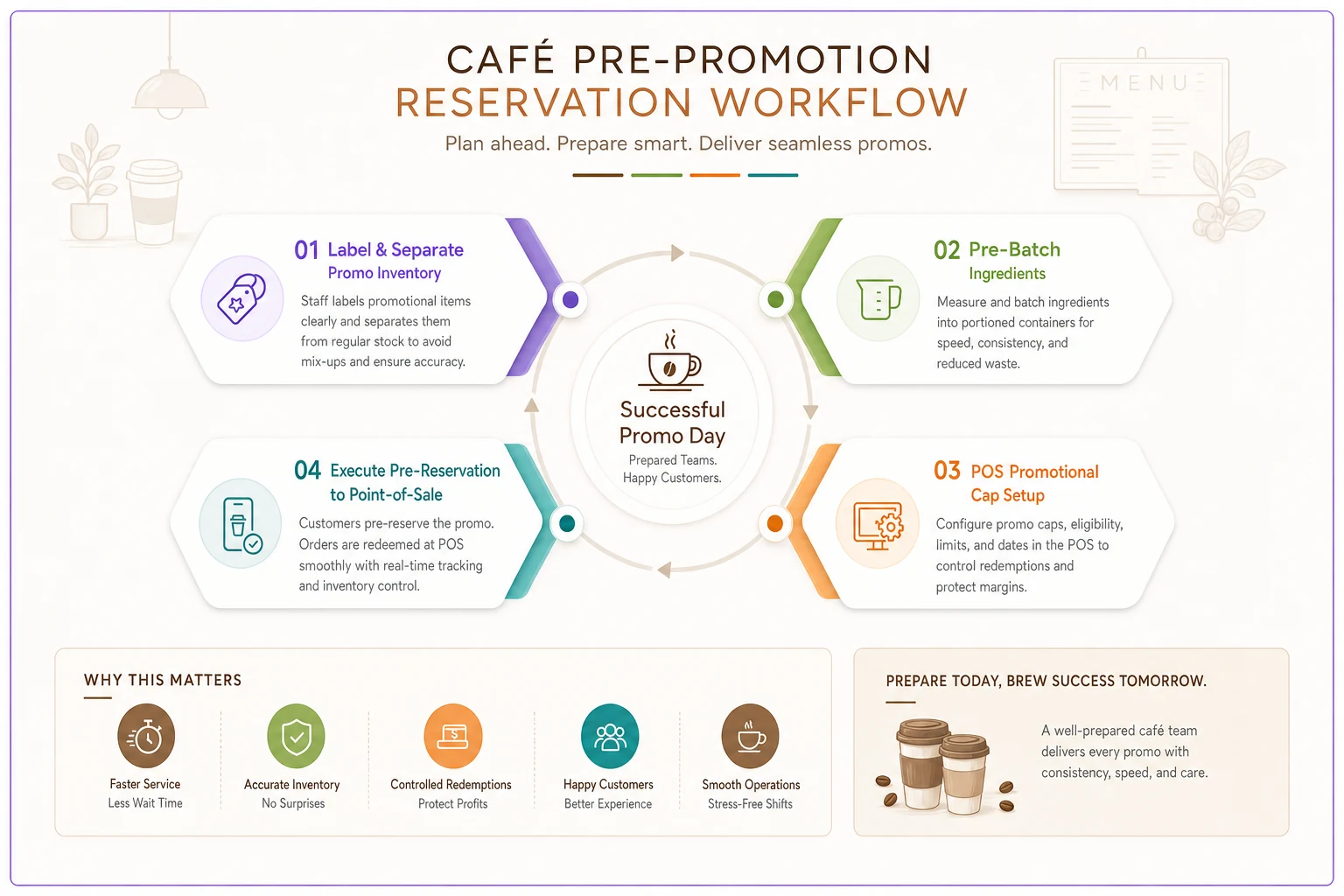
Use this workflow as a prep checklist to keep promo inventory separate and measurable.
Real-time POS caps beyond "86"
Standard POS "86" functions kill items completely, but promotions need smarter controls. You want the item still available at regular price once promotional inventory depletes.
Configure your POS with dual-tier availability. Set up the promotional item as a separate menu entry with its own inventory counter linked to your pre-calculated limits. When it depletes, the system automatically removes the promotional price while keeping the regular-priced version active.
If your POS can't handle dual entries, run a manual override system with clear trigger points. Post a visible counter sheet showing remaining promotional units. Every 10 drinks, staff marks the sheet and checks remaining inventory. At predetermined thresholds, they execute specific actions:
-
75%
Verify backup ingredient availability
-
50%
Alert manager, prepare "limited quantity remaining" signage
-
25%
Switch to "last call" messaging, prepare regular-price transition
-
0%
Remove promotional signage, communicate end to all staff
This manual tracking seems primitive, but it's surprisingly effective for avoiding costly overorders through controlled depletion tracking.
The reconciliation metrics that reveal true COGS impact
Post-promotion analysis typically stops at revenue generated. That's like measuring a diet by how much you ate, not what you ate.
Ingredient yield variance: Compare actual ingredient usage against theoretical usage based on recipes. A 100-drink promotion should use predictable amounts of each component. When actual usage exceeds theoretical by more than 5%, you've got either a portioning problem or inventory leakage.
Calculate it like this:
-
Theoretical usage = (Promotional units sold × Standard recipe amount)
-
Actual usage = (Beginning inventory - Ending inventory - Protected buffer usage)
-
Variance = ((Actual - Theoretical) / Theoretical) × 100
Substitution cost impact: Document every substitution made when promotional ingredients ran short. That moment when you switched from oat milk to regular milk didn't just affect the promotional drink—it impacted every subsequent order from customers who specifically wanted oat milk.
Track:
-
Number of substitutions required
-
Cost differential per substitution
-
Lost sales from customers who refused substitutions
-
Comp drinks provided due to unavailable ingredients
Temporal displacement costs: Promotions don't just consume inventory during the promotional window—they create ripple effects. Burn through afternoon inventory for a lunch promotion, and you're borrowing from dinner service.
Measure the 12-hour impact window:
-
Inventory positions 4 hours before promotion
-
Stock levels at promotion end
-
Emergency orders placed within 12 hours
-
Next-day opening inventory variance from standard
These three points together give you a real picture of what the promotion actually cost versus what the revenue report says it earned.
When buffers become barriers
There's a point where protecting inventory becomes self-defeating. Setting aside 50% of your stock as "protected" means you're essentially running two different cafés—one for promotions, one for regular service.
The sweet spot usually sits around 25-30% protected buffer for most cafés doing weekly promotions. Higher than that and you're leaving money on the table. Lower, and you're risking operational disruption.
Consider your customer mix too. A café with 70% regulars needs higher buffers than one with mostly transient traffic. Your regulars remember when their usual order isn't available. Tourists just order something else.
Who shouldn't run inventory-capped promotions
Skip this approach if you're:
-
Operating with less than 3 days of inventory on hand
-
Unable to track ingredient-level usage accurately
-
Running multiple overlapping promotions
-
Dealing with unreliable suppliers who can't guarantee emergency restocks
These conditions make buffer calculations meaningless. You're better off with simpler percentage discounts on overstocked items rather than aggressive promotions that stress your purchase-to-stock cycles.
The morning-after inventory audit
Every promotion needs a 24-hour post-mortem, not a week-later review when details have faded. The morning after your promotion ends, while the chaos is still fresh, run a rapid inventory audit.
Check five specific things:
-
Actual vs. predicted depletion rates for each SKU
-
Any inventory that moved between protected and promotional allocations
-
Unusual patterns in non-promotional item sales (did regular latte sales tank?)
-
Staff feedback on operational bottlenecks
-
Customer complaints related to stockouts
This isn't about blame—it's about calibration. Each promotion teaches you something real about your customers' price sensitivity and your operation's actual capacity limits. The details fade fast, which is why the next morning matters.
Technology coordination without the complexity
Managing promotional inventory buffers manually works, but coordinating between your POS, inventory system, and staff communication gets overwhelming once you're running 30-40 promotional items per month.
This is where AI-powered operational software starts making sense—not as a magic solution, but as a coordination layer. Modern platforms can monitor your POS transaction data, track inventory depletion rates in real time, and automatically trigger reorder points based on promotional velocity rather than standard par levels.
The automation handles the mundane tracking while your team focuses on execution. Instead of manually recalculating buffers for every SKU before each promotion, the system maintains running totals based on your actual usage patterns and upcoming promotional calendar.
It also prevents the classic "promotion collision" where your coffee promotion depletes oat milk right as your smoothie promotion needs it. The software tracks cross-dependencies between promotions and flags conflicts before they become an operational problem.
A real promotional rescue
Consider what happened at Coastal Coffee, a single location doing around $18k weekly. They ran a "Summer Happy Hour" promotion—half-price iced drinks from 2–5pm every weekday. No inventory buffers, no caps, just enthusiasm.
Week one went okay. Week two, they ran out of cold brew concentrate on Wednesday. Emergency batch brewing threw off their entire Thursday prep schedule. By Friday, they were substituting iced americanos for cold brew, fielding complaints, and barista morale had dropped enough that two people called out the following Monday.
After implementing the buffer system outlined here, their next promotion ran differently. They pre-calculated capacity for around 400 promotional drinks across the week based on their perishable par levels. When they hit 300 drinks by Thursday afternoon, they switched messaging to "Final Day Friday!" and created urgency instead of disappointment.
Promotional revenue stayed roughly flat at around $2,400, but COGS improved by about 18% because they cut out emergency orders and substitution costs. More importantly, staff morale rebounded when they could actually predict and prepare for demand instead of just reacting to it.
Moving beyond reactive promotions
Cafés that consistently run profitable promotions don't just track better—they think differently about what a promotion is. Instead of treating it as a pure revenue event, they treat it as a controlled inventory experiment.
Each promotion tests a hypothesis: can we move X units of Y product at Z price while maintaining our target COGS? The buffer system gives you the control variables to actually answer that question rather than just hoping things hold together.
Your coffee shop promotion inventory strategy ultimately determines whether promotions build your business or slowly bleed it. The difference isn't the discount percentage or the marketing message—it's the operational foundation underneath. Start with one promotion. Calculate your buffers. Set your caps. Track your actuals. The discipline feels constraining at first, but once you can run aggressive promotions knowing exactly where your limits are—and that your regular operations stay protected—it stops feeling like a constraint and starts feeling like an advantage.
Ready to brew operational excellence?
Join hundreds of coffee shops using Coffehq to boost efficiency, reduce waste, and elevate customer satisfaction.