
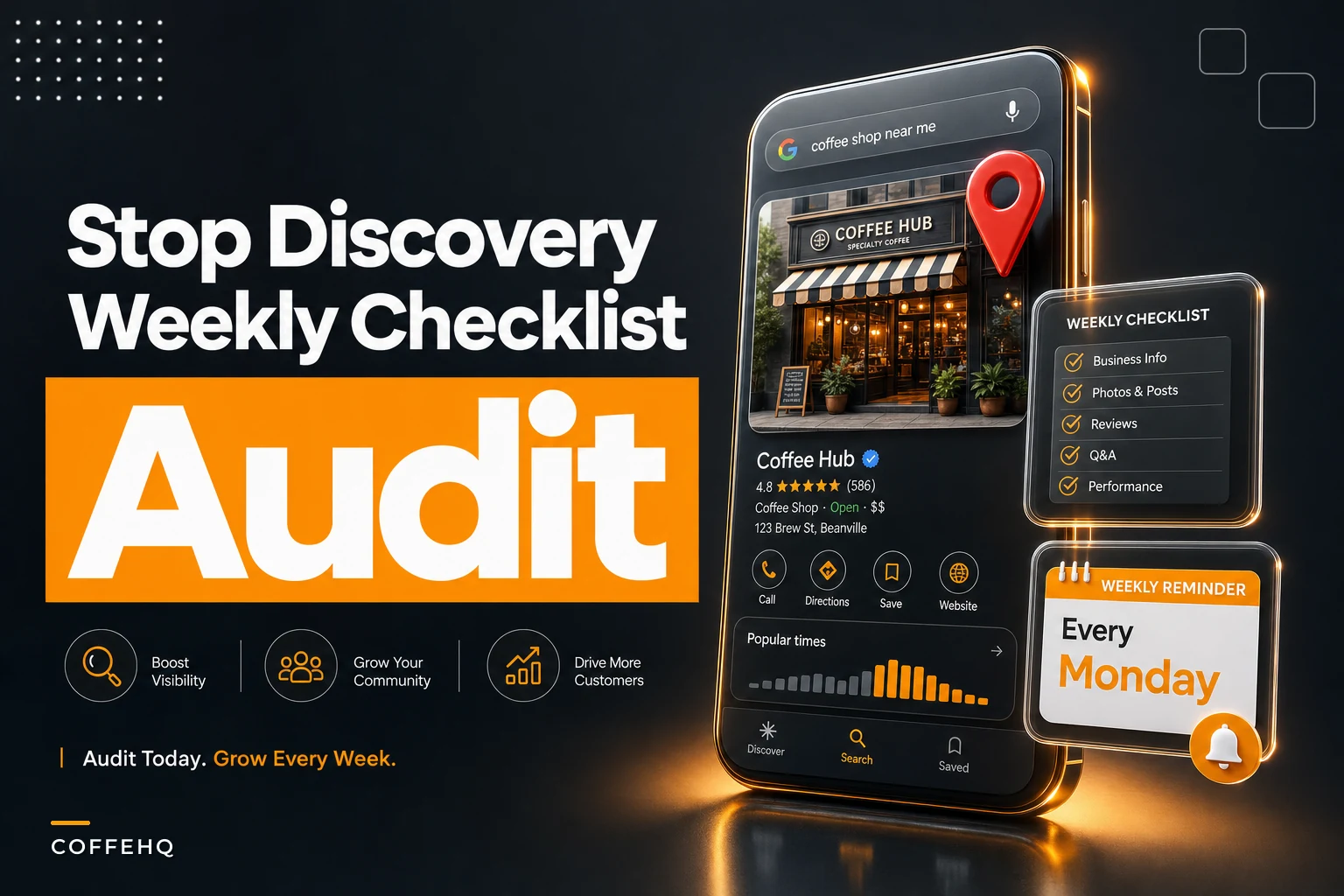

A Google Business Profile doesn't break with a bang. It erodes. Somebody edits your hours over a holiday and forgets to switch them back. A random "suggested edit" from a stranger changes your category from Coffee shop to Cafe — which sounds harmless until your espresso-specific traffic quietly drops. Your phone number gets updated in one place but not another. None of these feel urgent on a Tuesday. That's exactly why they cost you customers.
The frustrating part is that most cafe discovery losses are invisible to the owner. You don't see the person who searched "oat milk latte near me," saw your profile listed as "temporarily closed," and walked two blocks to the next place. There's no alert for that. The sale just never happens.
This is a tight, manager-runnable local SEO checklist — built around canonical listing fields, a quick weekly verification, copy-paste templates for promos and hour changes, and a crisis rollback you can run without hiring an agency.
Why tiny cafes lose discovery traffic (and don't notice)
The scale works against you. A chain has a marketing person whose literal job is to watch listings. A solo-owner cafe has a person who is also pulling shots, counting the till, and texting the closer who's running late. Listing hygiene falls to the bottom because nothing screams when it goes wrong.
Here's where it actually breaks, roughly in order of how often it happens:
-
Hours drift. You set special hours for a long weekend, and those "special" hours silently become your displayed hours past the weekend. Customers show up to a "closed" sign on your profile even though you're open.
-
Category creep. Google occasionally nudges your primary category, or a well-meaning local guide submits an edit. Primary category is one of the strongest local ranking signals, so even a subtle wrong one quietly tanks relevant searches.
-
NAP mismatches. Name, Address, Phone listed inconsistently across Google, Yelp, Apple Maps, and your website. Search engines read inconsistency as uncertainty, and uncertainty costs ranking.
-
Photo rot. Your top photo is three years old, shows a menu you no longer run, or — worse — was uploaded by a customer and shows a messy table.
-
Review silence. Not responding to reviews for weeks signals a dormant business, and Google reads engagement signals.
A typical example: a neighborhood cafe runs reduced hours between Christmas and New Year. In January, nobody restores the regular schedule inside the profile. For about nine days, anyone searching at 8am sees "Opens 10am." The owner only finds out when a regular mentions they thought the cafe had stopped doing mornings.
That's not a rare edge case. That's the most common discovery leak in small cafes.
Your canonical listing fields (lock these down once)
Before any weekly routine works, you need a single source of truth — one document that states exactly what each field should say, everywhere. Without it, every person who touches a listing guesses, and guesses drift.
Keep every order and shift perfectly aligned.
Coffehq helps you manage orders, inventory, and staff schedules seamlessly.
- Unified order processing
- Real-time inventory updates
- Staff shift coordination
No credit card required
Write these down once and store them somewhere any manager can find:
| Field | Canonical value (example) | Where it must match |
|---|---|---|
| Business name | Exactly as on signage — no keyword stuffing | Google, Yelp, Apple Maps, website footer |
| Address | Suite/unit formatting identical everywhere | All listings + Google Maps pin |
| Phone | One primary number, same format | All listings + website |
| Primary category | Coffee shop (or Espresso bar — pick intentionally) | Google Business Profile |
| Secondary categories | Cafe, Breakfast restaurant, Bakery | Google Business Profile |
| Regular hours | Your true weekly schedule | GBP, website, door sign |
| Website URL | One canonical version (https, with or without www — pick one) | Everywhere |
| Service attributes | Dine-in, Takeout, Delivery (only what's actually true) | GBP |
The common mistake is stuffing the business name field with keywords — "Joe's Coffee Best Espresso Downtown." Google can suspend profiles for that, and a suspension is a real discovery catastrophe. Keep the name clean. Let the category and content do the ranking work.
Pick your primary category deliberately. If espresso drinks are your core, "Coffee shop" or "Espresso bar" usually outperforms the broader "Cafe." You can only have one primary, so choose the one that matches the searches you actually want to win.
The two-minute weekly verification
This is the heartbeat of the whole system. Once your canonical fields are set, you don't need to re-audit everything each week — you just need to confirm nothing drifted. Assign it to one person, same day every week. A quiet Monday morning works well.
Run it from your phone, logged out or in incognito, so you see what a real customer sees — not the owner dashboard view, which can hide problems:
-
Search your cafe name + neighborhood. Confirm you appear and the top result is actually you.
-
Check displayed hours against today. Are the hours showing what you're actually running this week? Look specifically for lingering "special hours."
-
Glance at the primary category. Still correct? No surprise change?
-
Look at the top photo. Is it one of yours, recent, and appetizing — or did a customer photo float up?
-
Scan the newest reviews. Any from the past week unanswered? Anything suspicious that needs a flag?
-
Tap the phone number and website link. Do they work and go to the right place?
Six checks, under two minutes once you've done it a few times. The value isn't depth — it's frequency. Catching a wrong-hours error on Monday instead of discovering it three weeks later is the entire point.
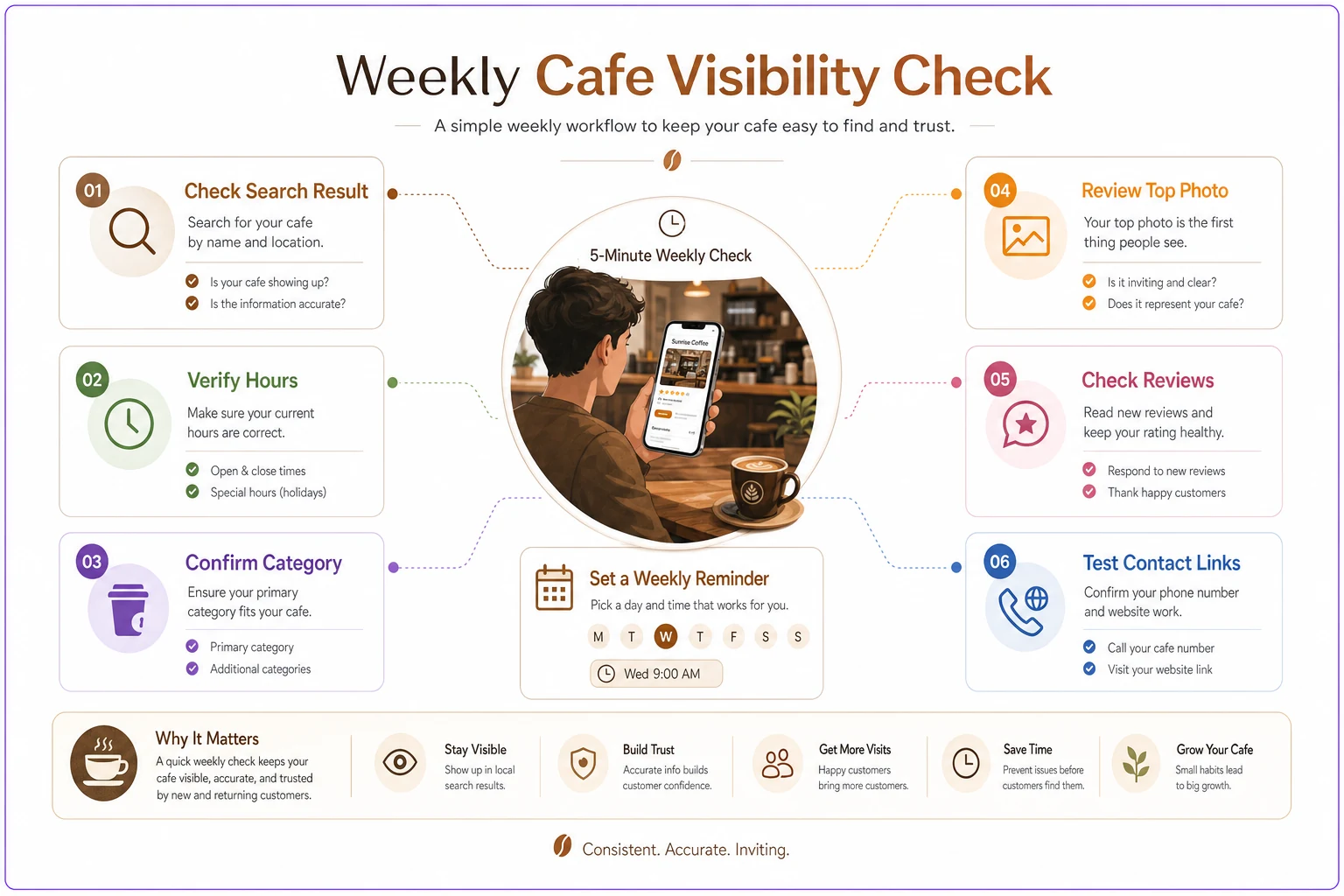
A quick visual of the weekly verification flow.
Cafes that do this weekly almost never experience the nine-days-of-wrong-hours disaster, because the drift gets caught within days, not weeks.
Copy-paste templates for the two updates you'll actually make
Most ongoing changes fall into two buckets: hour changes and promo/offer posts. Having templates ready means these get done in seconds instead of getting skipped.
Hour update template
> Hour change — [date range] > Reason: [holiday / renovation / short-staffed / event] > New hours: [day-by-day] > Revert date: [exact date to restore normal hours] ← set a phone reminder for this > Updated on: GBP ☐ Website ☐ Door sign ☐ Delivery apps ☐
The revert date reminder is the single most important line. It's what prevents special hours from quietly becoming permanent.
Promo / Google post template
> [Offer name] — [one-line description] > Valid: [dates] > [Short call to action — "Available all week" / "While supplies last"] > Photo: [recent, bright, shows the actual item]
If you're figuring out the actual promotion mechanics — margins, inventory, which drinks to feature — that belongs in a proper plan, not a last-minute post. Our inventory-aligned promo runbook covers how to run offers without blowing your COGS. A Google Post is just the discovery layer on top of that work.
The crisis rollback managers can run without an agency
Sometimes something goes genuinely wrong: your profile shows "permanently closed," your pin moved, your category got rewritten, or a suggested edit stuck. Panic leads to hiring an agency for something a manager can fix in twenty minutes. Here's the rollback order.
Step 1 — Confirm the exact problem. Search incognito and screenshot what customers see. Document before you touch anything.
Step 2 — Check who has access. A surprising number of "hacked profile" scares are just a former employee or a vendor who still has edit access. Check the users list on your Business Profile first.
Step 3 — Fix the field directly. For wrong hours, category, or phone, correct it in the dashboard. Changes to core info sometimes go into review for a day or two — that's normal, don't resubmit repeatedly.
Step 4 — Reverse a bad suggested edit. If a stranger's edit went live, edit the field back to your canonical value. Having your canonical document means you know exactly what it should say.
Step 5 — Handle "permanently/temporarily closed." In the dashboard, mark the business as open. If it won't let you, use the profile's reinstate option or support contact. Do not create a new listing — that creates a duplicate, which is a bigger problem.
Step 6 — Report duplicates. If a second version of your cafe appears in search, flag it as a duplicate rather than editing it. Managing two listings splits your reviews and confuses ranking signals.
Step 7 — Log what happened. One line in a shared note: what broke, when, what fixed it. Next time it's a known procedure, not a fire drill.
Almost none of this needs an agency. Agencies are valuable for strategy and content at scale. For a single cafe keeping its listing clean, the rollback above is entirely within a manager's reach.
A real scenario
A two-person cafe in a college town kept wondering why weekday morning traffic felt soft despite steady weekend foot traffic. Running the weekly check for the first time, the manager found the profile still showed special holiday hours from a football weekend six weeks earlier — displaying a 9am open instead of their real 6:30am.
For roughly six weeks, early commuters searching "coffee near me" at 7am saw a cafe that "wasn't open yet." Hard to measure exactly, but based on their normal morning rush, that's easily several hundred missed visits — somewhere in the low thousands of dollars of walk-in revenue, gone with no trace.
After fixing it and putting the Monday check on the schedule, morning search impressions recovered within about two weeks. The manager caught two more near-misses over the next few months — a stray category edit and a customer photo that had floated to the top spot. No agency, no paid tools. Just a repeating habit.
When a weekly routine is enough (and when it isn't)
This works well when you run one location, maybe two, and the same person can own the check. A small team doesn't need enterprise listing-management software. The checklist above is your system.
This starts to strain when you cross into three or four locations with different hours, menus, and local pages. Manually verifying each profile every week becomes its own part-time job, and drift between locations gets harder to track. That's when a listing-management tool — or folding these checks into an operational dashboard your managers already use — starts earning its keep.
Who should not overthink this: a brand-new single cafe still figuring out its hours and menu. Lock the canonical fields, run the weekly check, and skip the fancy tooling until you have more than one profile to keep in sync.
The broader point is consistency, not tools. Discovery hygiene is the same muscle as service consistency — the goal is that every customer touchpoint behaves the same way whether you're in the building or not. If you're already working on making service identical across shifts, folding the listing check into that same QA rhythm makes sense. Our write-up on making every shift feel the same runs on the same principle of small, repeating verifications.
The takeaway
Local discovery for a cafe isn't won by clever tricks. It's held by maintenance. The cafes that quietly lose morning traffic aren't being outranked by better marketing — they're losing ground to their own stale hours, drifted categories, and unanswered reviews.
Set your canonical fields once. Run the two-minute check every week, same day, same person. Keep the hour and promo templates ready so updates actually get done. And when something breaks, run the rollback yourself before reaching for a contract. That's the entire local SEO checklist a small cafe needs — simple, repeatable, and well within reach of a tiny team.
Ready to brew operational excellence?
Join hundreds of coffee shops using Coffehq to boost efficiency, reduce waste, and elevate customer satisfaction.