

Your morning shift lead walks in to find the espresso machine making weird noises. Yesterday's closer forgot to run the cleaning cycle. The owner texts asking why labor ran 4% over budget Tuesday. The assistant manager has no idea because they weren't working that day. Sound familiar?
Most coffee shop manager dashboards fail because they dump the same wall of numbers on everyone. The owner drowns in hourly sales breakdowns when they really need weekly labor trends. Shift leads get distracted by food cost percentages when they should be focused on handoff tasks. Everyone sees everything, nobody knows what actually matters for their role, and critical problems slip through because the right person never got the right alert.
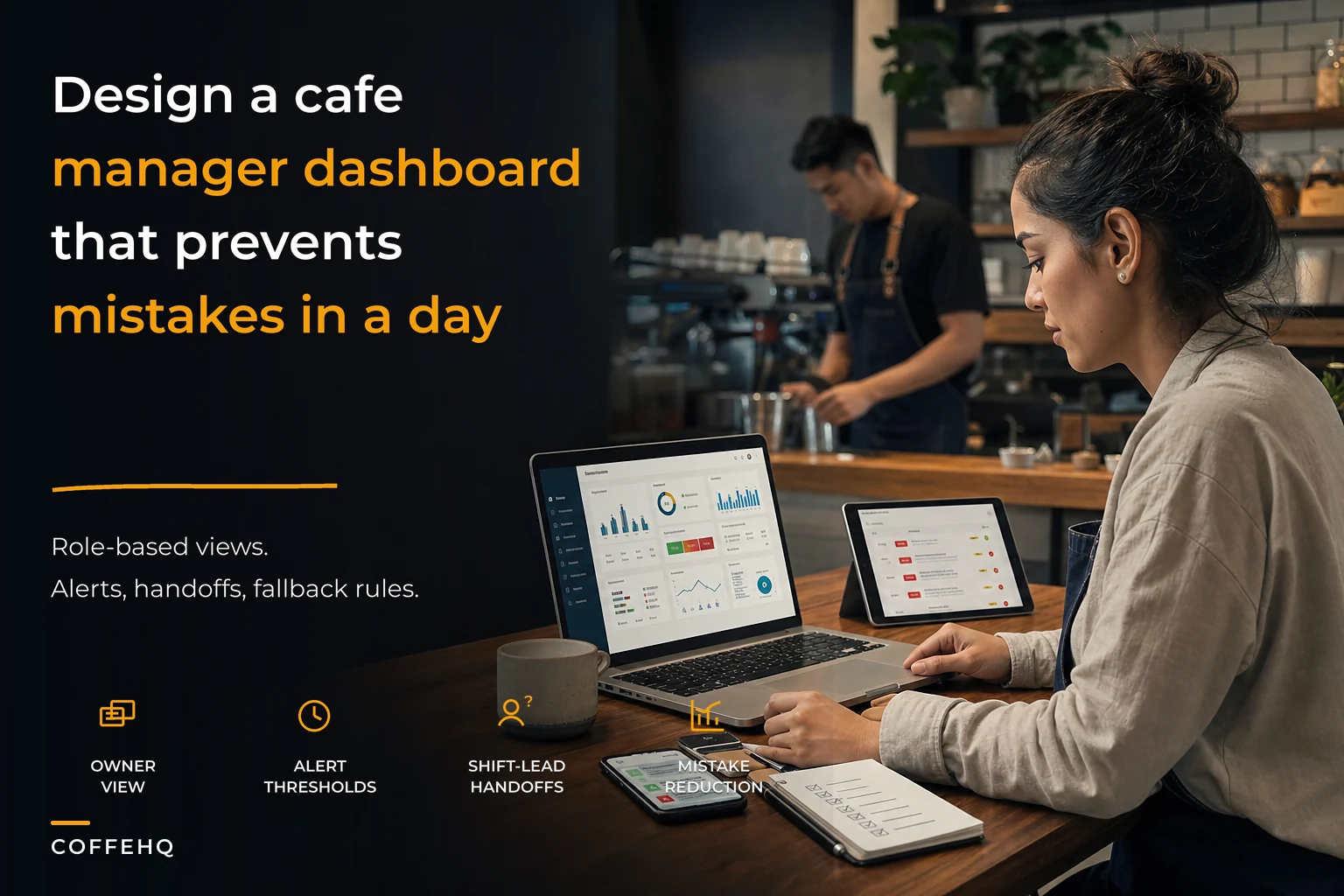
After building operational platforms for over a hundred cafes, what actually works is pretty consistent: separate dashboard views per role, alerts tied to handoff responsibilities, and simple SMS/email fallbacks when someone misses something critical. Not another fancy analytics tool — an actual operational setup that stops the daily scrambles before they start.
Why generic dashboards create operational chaos
Most coffee shops run three management layers even if they don't label them that way. The owner checking in weekly. The general manager handling daily operations. Shift leads managing the floor. Each role needs completely different information at completely different times.
Generic dashboards ignore that entirely. Your shift lead gets bombarded with monthly P&L trends while missing that milk inventory dropped below tomorrow's expected usage. The owner gets real-time transaction alerts at 2 AM while missing that food costs crept up 3% over the past month.
When everyone sees everything, pattern recognition breaks down. Your manager stops noticing labor creeping up because they're desensitized to the constant stream of data. Shift leads ignore maintenance alerts because they assume someone else handles those. Small problems compound shift after shift until something breaks badly enough that everyone notices.
The handoff problem is its own thing. Morning shift has no idea what evening shift actually completed because there's no structured view of what got done versus what didn't. That ambiguity is where most operational drift starts.
Building role-specific views that actually work
Owner dashboard: weekly patterns and monthly trends
Keep every order and shift perfectly aligned.
Coffehq helps you manage orders, inventory, and staff schedules seamlessly.
- Unified order processing
- Real-time inventory updates
- Staff shift coordination
No credit card required
-
Weekly labor efficiency
Actual hours versus scheduled hours by day, with automatic flags when variance exceeds 5%. Not individual shift details — that's the manager's job.
-
Monthly margin trends
Food cost, labor cost, and gross margin as percentages, compared to the previous three months. Simple red/yellow/green indicators when any metric moves more than 2% from baseline.
-
Customer satisfaction pulse
Weekly average of ratings, review mentions of specific issues, and refund rates. Aggregate data, not individual complaints.
-
Cash position snapshot
Daily closing cash versus expected, weekly deposit totals, and any variances over $100.
The critical part — owners shouldn't see hourly sales patterns, individual employee metrics, or real-time operational alerts unless something crosses a major threshold. Their view updates daily or weekly, not constantly.
General manager dashboard: daily operations and exception handling
-
Daily labor management
Scheduled versus actual hours by shift, overtime warnings, and no-show tracking. Alert threshold: any shift running 10% over scheduled hours.
-
Inventory exception report
Items below par, items over-ordered by 20%, and unusual usage patterns. Not every inventory number — just the problems.
-
Shift completion tracking
Which opening tasks got done, which closing tasks got missed, handoff notes between shifts. This is the backbone of your operational consistency framework.
-
Daily P&L snapshot
Yesterday's sales, labor cost, and theoretical food cost based on items sold. Compared to the same day last week and last month.
-
Maintenance and compliance status
Equipment issues reported, cleaning tasks overdue, temperature logs missing. Binary complete/incomplete tracking.
The manager view updates every four hours during operating hours, with push alerts for critical issues like equipment failures or missing staff.
Shift lead dashboard: immediate actions and handoffs
-
Opening/closing checklist
Dynamic based on day of week and recent issues. If the espresso machine had problems yesterday, today's checklist includes an extra verification step.
-
Current shift metrics
Customer count, average ticket, items 86'd, and staff breaks completed. Rolling 2-hour view, not all-day totals.
-
Handoff requirements
What the previous shift noted, what this shift needs to communicate, anything critical for tomorrow's opener.
-
Immediate inventory needs
Only items that won't last the shift or next morning. Not full inventory counts.
-
Real-time alerts
Customer complaints, equipment issues, staff no-shows. Nothing strategic, everything operational.
This view refreshes every 30 minutes during the shift, with immediate push notifications for anything critical.
Alert thresholds tied to operational reality
Generic percentage thresholds miss context. Labor at 35% might be fine on a slow Tuesday but a real problem on a busy Saturday. Here's what actually holds up:
Labor alerts by role and context
-
For owners
Weekly labor exceeds 32% or drops below 25% (the latter usually signals understaffing)
-
For managers
Daily labor varies more than 3% from the same day last week
-
For shift leads
Current shift has fewer than 3 staff during peak hours (10 AM–2 PM)
Each threshold connects to a specific action. The owner gets a weekly summary to evaluate scheduling patterns. The manager gets daily alerts to adjust tomorrow's schedule. The shift lead gets an immediate notification to call someone in or adjust service.
Inventory alerts that prevent stockouts
-
Milk running low
Alert shift lead when current stock won't cover the next 4 hours based on recent usage
-
Coffee beans
Alert manager when stock drops below 3 days of average usage
-
Pastries
Alert morning lead if the previous night's count shows less than 50% of typical morning demand
Role-appropriate timing matters here. Shift leads need 4-hour warnings. Managers need 2-day warnings. Owners need trend alerts when usage patterns shift more than 15% week-over-week.
Equipment and maintenance triggers
-
Temperature violations
Immediate alert to shift lead and manager. Email to owner if not acknowledged within 30 minutes.
-
Missed cleaning tasks
Alert closing shift lead at 30 minutes before close. Escalate to manager if not completed by close.
-
Equipment errors
Immediate to shift lead, escalate to manager after 2 hours, owner notification if it's down for a full day.
These escalation rules ensure issues get acknowledged and handled at the right level before they cause bigger problems.
One-day implementation checklist
Setting up a functional coffee shop manager dashboard doesn't take months. Here's a realistic one-day approach:
Morning setup (3 hours)
-
Define your three roles clearly - Owner
Strategic oversight, weekly/monthly view - Manager: Daily operations, exception handling - Shift leads: Immediate actions, handoff management
-
Map your five critical metrics per role - Skip the nice-to-haves. What breaks operations if ignored? - Set specific thresholds based on your actual history - Define who gets alerted and when
-
Connect your data sources - POS system for sales and labor data - Scheduling system for planned versus actual hours - Inventory system or spreadsheet for stock levels - Maintenance log or equipment monitoring
| Phase | Details |
|---|---|
| Morning setup (3 hours) | Define your three roles clearly; Map your five critical metrics per role; Connect your data sources |
| Afternoon configuration (3 hours) | Build the three dashboard views; Set up alert routing; Create handoff templates |
| Evening testing (2 hours) | Run through common scenarios; Train each role on their view |
Afternoon configuration (3 hours)
-
Build the three dashboard views - Start with manual spreadsheets if needed - Focus on clarity over comprehensiveness - Test each view with the actual person using it
-
Set up alert routing - SMS for immediate issues (equipment down, no-shows) - Email for daily summaries and non-urgent alerts - Dashboard notifications for FYI items
-
Create handoff templates - Standard fields for shift-to-shift communication - Required items versus optional notes - Photo upload for equipment issues or inventory concerns
Evening testing (2 hours)
-
Run through common scenarios - Morning no-show
Does the right alert fire? - Milk running low: Does the shift lead get adequate warning? - Equipment error: Does the escalation chain work?
-
Train each role on their view - 15-minute walkthrough with each person - Focus on what they check and when - Emphasize what they should ignore
Use these steps to stand up a minimal, functional set of dashboards and alerting in a single day so you stop reacting and start preventing.
Here's a visual of the one-day implementation workflow.
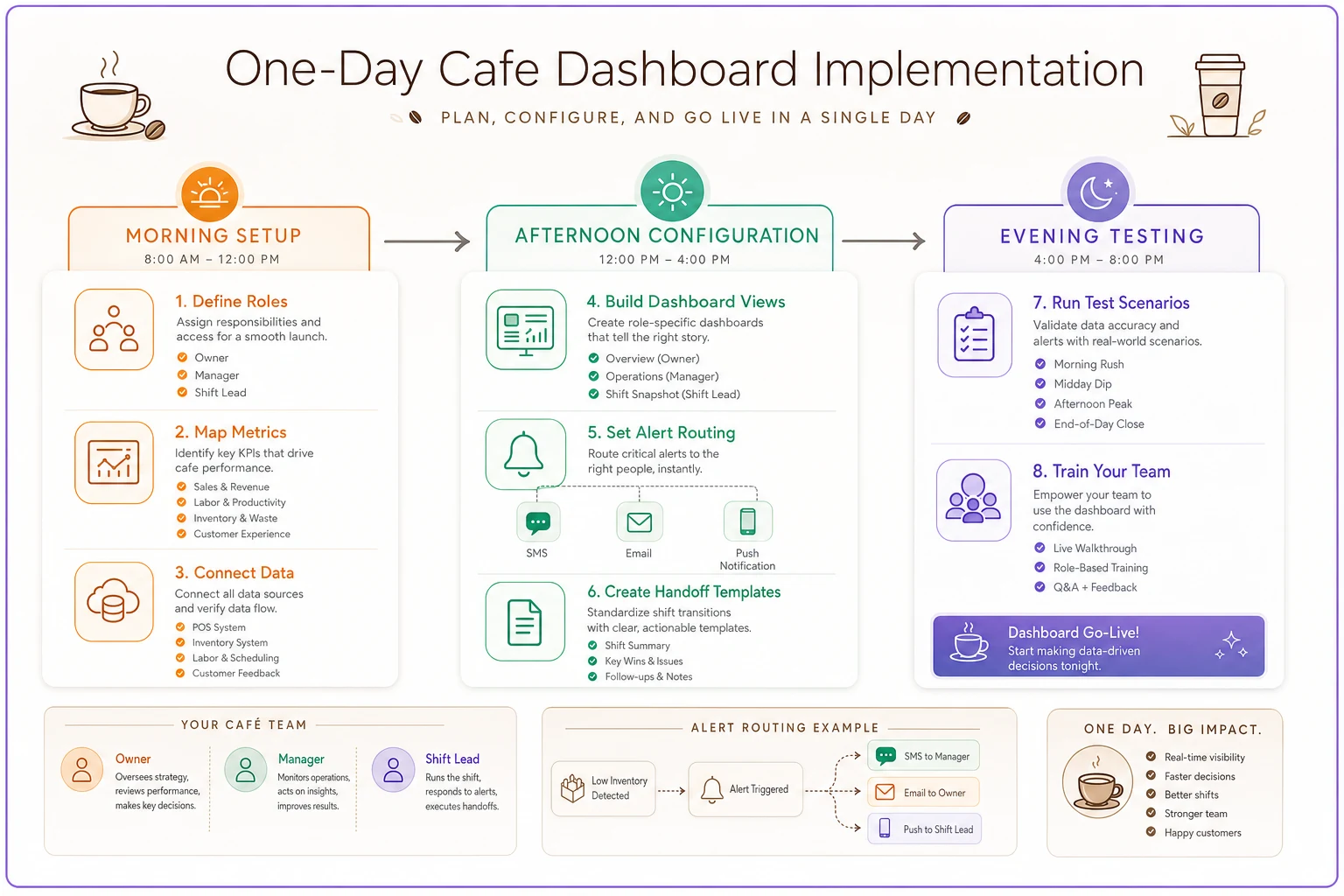
The visual helps teams follow the sequence: set roles and metrics, build focused views, route alerts, and test the whole chain.
Email and SMS fallback rules that prevent drops
Dashboards fail when people don't check them. Your fallback system needs actual teeth:
Critical alert escalation
-
Level 1 (Immediate)
Push notification to primary person - No acknowledgment in 15 minutes → SMS - No response to SMS in 15 minutes → Call
-
Level 2 (Urgent)
Dashboard alert + email - No acknowledgment in 1 hour → SMS to manager - No response in 2 hours → Email to owner
-
Level 3 (Important)
Dashboard notification only - Included in daily summary email - Flagged in next shift's handoff notes
Daily digest rules by role
-
Owner digest (weekly)
- Sent Sunday evening - Labor efficiency, margin trends, customer feedback summary - Red/yellow/green status for each area - Required response only for red items
-
Manager digest (daily)
- Sent at 6 AM - Yesterday's exceptions, today's staffing, inventory warnings - Must acknowledge receipt before noon - No acknowledgment triggers SMS reminder
-
Shift lead summary (per shift)
- Sent 30 minutes before shift - Previous shift's handoff, today's priorities, special alerts - Must check off items during shift - Incomplete items automatically escalate to manager
Handoff enforcement
-
Sends SMS reminder if the closing shift lead doesn't complete handoff notes by 30 minutes after close
-
Escalates to manager after 15 minutes
-
Locks the next day's opening tasks until handoff is complete
-
Requires manager override to proceed without handoff
This sounds harsh. It's intentional. One missed cleaning task becomes equipment failure. One unsigned invoice becomes a stockout. The enforcement has to match the operational risk.
Common dashboard mistakes that destroy trust
Common pitfalls erode confidence in the system:
-
Information overload
Adding every possible metric because you can. A cluttered dashboard gets ignored. Five key metrics per role, maximum.
-
Generic thresholds
Using industry standards instead of your actual patterns. Your labor target isn't the same as the shop downtown. Use your P&L operational framework to set thresholds that actually reflect your operation.
-
Constant alerts
Sending notifications for everything. Alert fatigue is real. Reserve SMS for true operational risks, or people start tuning the whole system out.
-
No enforcement mechanism
Building alerts without consequences. If ignoring an alert changes nothing, people learn fast that nothing matters.
-
One-size-fits-all timing
Updating all dashboards on the same schedule. Owners don't need hourly updates. Shift leads don't need monthly trends.
Avoid these mistakes by keeping views focused, thresholds contextual, and enforcement real.
When AI automation amplifies dashboard effectiveness
A well-structured coffee shop manager dashboard becomes significantly more useful when operational software handles the pattern detection automatically. Instead of someone manually checking multiple views and trying to correlate trends, AI-powered platforms can catch subtle problems before they compound.
The system monitors patterns across all three role views — noticing when Tuesday's slower sales track with a specific shift lead's tendency to under-prep, or when milk waste spikes consistently with certain barista combinations. Those insights surface in the right dashboard view without anyone having to go looking for them.
More practically, it handles the correlation work that managers rarely have bandwidth for. When food costs edge up, the software checks whether it's waste, over-portioning, or price changes. When labor efficiency drops, it flags whether the issue is scheduling, slower service, or just lighter sales. That context shows up in the dashboard directly, which turns data into something actionable instead of just something to stare at.
Handoffs benefit too. Instead of static checklists, dynamic handoff requirements generate based on what actually happened during the shift, upcoming weather, planned promotions, and historical patterns. If yesterday's shift had three espresso drinks returned, today's opening checklist automatically includes machine calibration.
The alert routing can also adapt over time. If the morning manager consistently responds faster to SMS than email, the system adjusts. If the owner only meaningfully engages with weekly summaries, daily noise gets filtered. It's not about removing human judgment — it's about making sure the right information reaches the right person before a problem gets worse.
Role clarity drives operational consistency
The biggest shift in building an effective coffee shop manager dashboard isn't technical — it's organizational. When each role has clear metrics, specific alerts, and defined handoff responsibilities, the operation runs smoother across the board.
Shift leads stop trying to solve strategic problems and focus on immediate execution. Managers stop firefighting and start getting ahead of issues. Owners stop micromanaging and start seeing the trends that actually matter for growth.
This structure also scales. When you add a second location, each site runs the same dashboard framework with site-specific thresholds. New managers inherit a clear system instead of building their own from scratch. Operational consistency comes from structure, not from whoever happens to be working that day.
One day of setup pays back quickly in prevented problems. The espresso machine gets cleaned. Labor stays within budget. Milk doesn't run out during the morning rush. Small preventions add up fast.
Stop treating your coffee shop like everyone needs to know everything. Build focused views, set role-appropriate alerts, enforce handoffs, and watch your operation stabilize. The goal isn't perfect information — it's the right information reaching the right person before problems compound into something much harder to fix.
Ready to brew operational excellence?
Join hundreds of coffee shops using Coffehq to boost efficiency, reduce waste, and elevate customer satisfaction.